
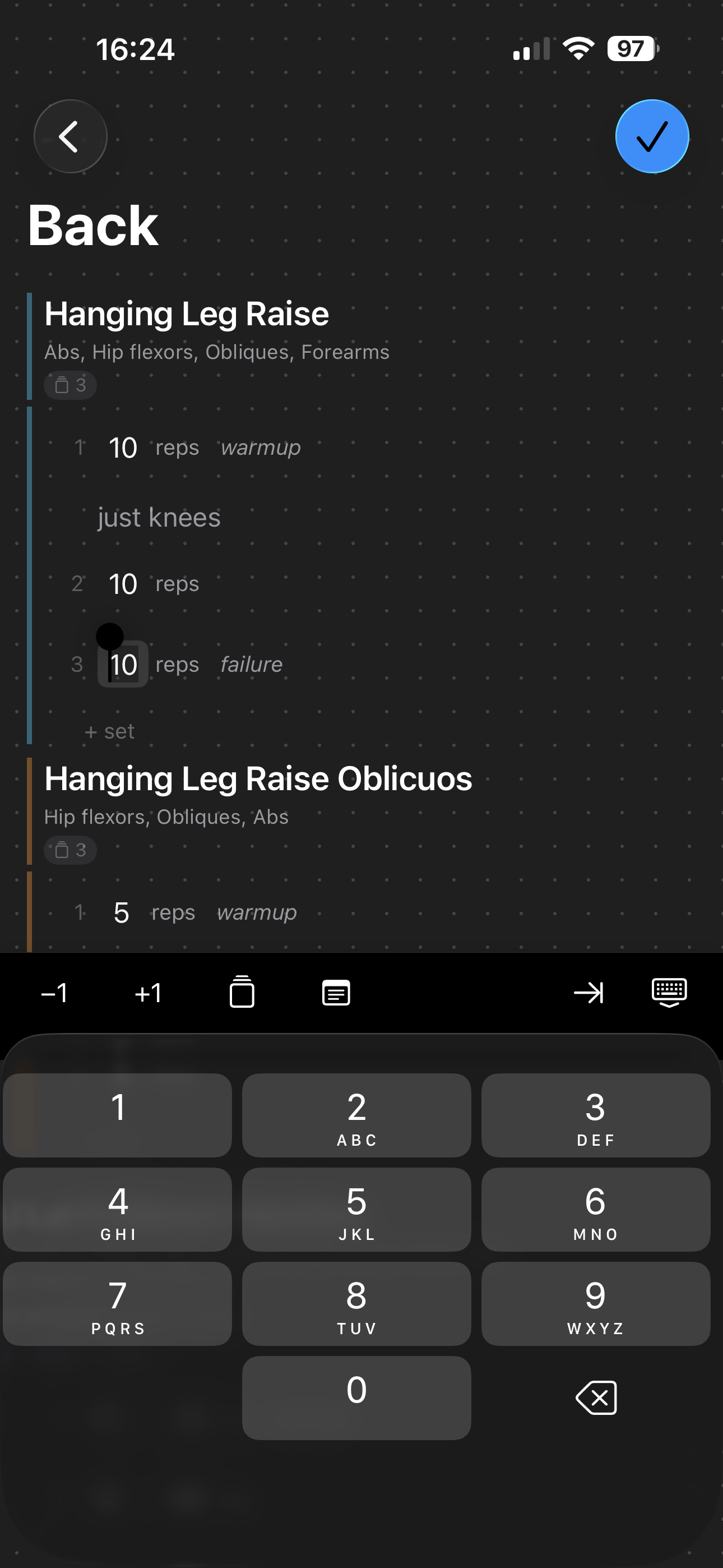
I got tired of workout apps that feel like filling out tax forms. So I built my own.
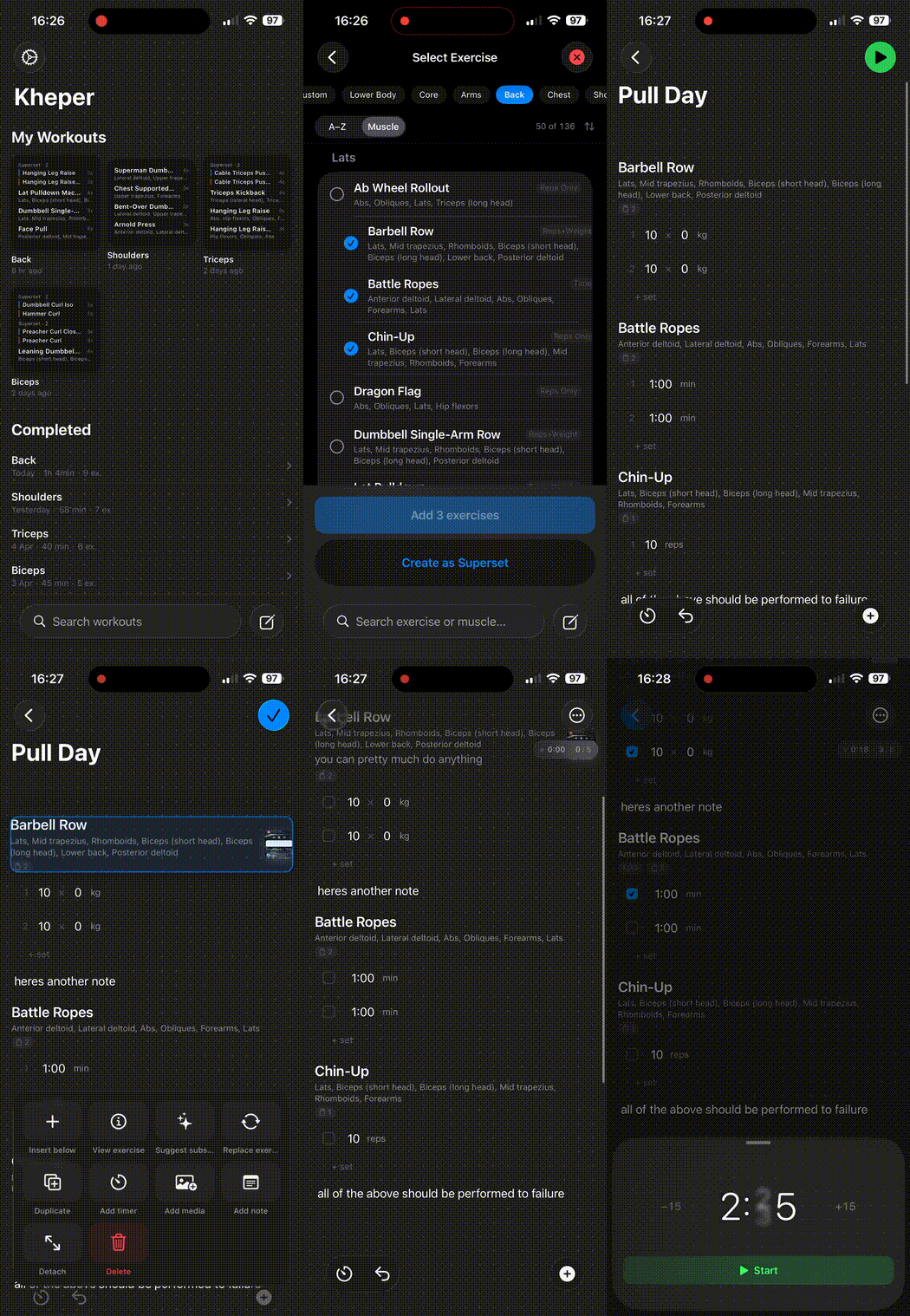
Kheper is a block based workout editor for iOS. You build workouts the same way you’d build a page in Notion: drag blocks around, nest them, edit everything inline. Text, exercises, supersets, timers, media — each block snaps into place and the whole thing feels like a document editor that happens to know about sets and reps.
Why native
One thing was clear from the start: I’d rather the app do fewer things well than many things poorly. Every gesture, every animation, every transition had to feel like it belongs on iOS, not like a web wrapper in disguise.
That’s why SwiftUI and UIKit together. SwiftUI for building interfaces quickly, UIKit for when I need real control. Drag-and-drop, keyboard management, scroll animations… all of that requires direct access to native iOS APIs. I could have gone with a cross platform framework, but the result wouldn’t have been the same and I would have noticed every time I opened the app.
Most workout apps feel like they were built with “make it work everywhere” in mind. I wanted one that worked perfectly in one place.
How it works
The editor treats everything as a block. A title is a block. An exercise with sets and reps is a block. A superset grouping three exercises is a block that contains other blocks. You tap the ”+” button, pick a type, and it slots in where you want it.
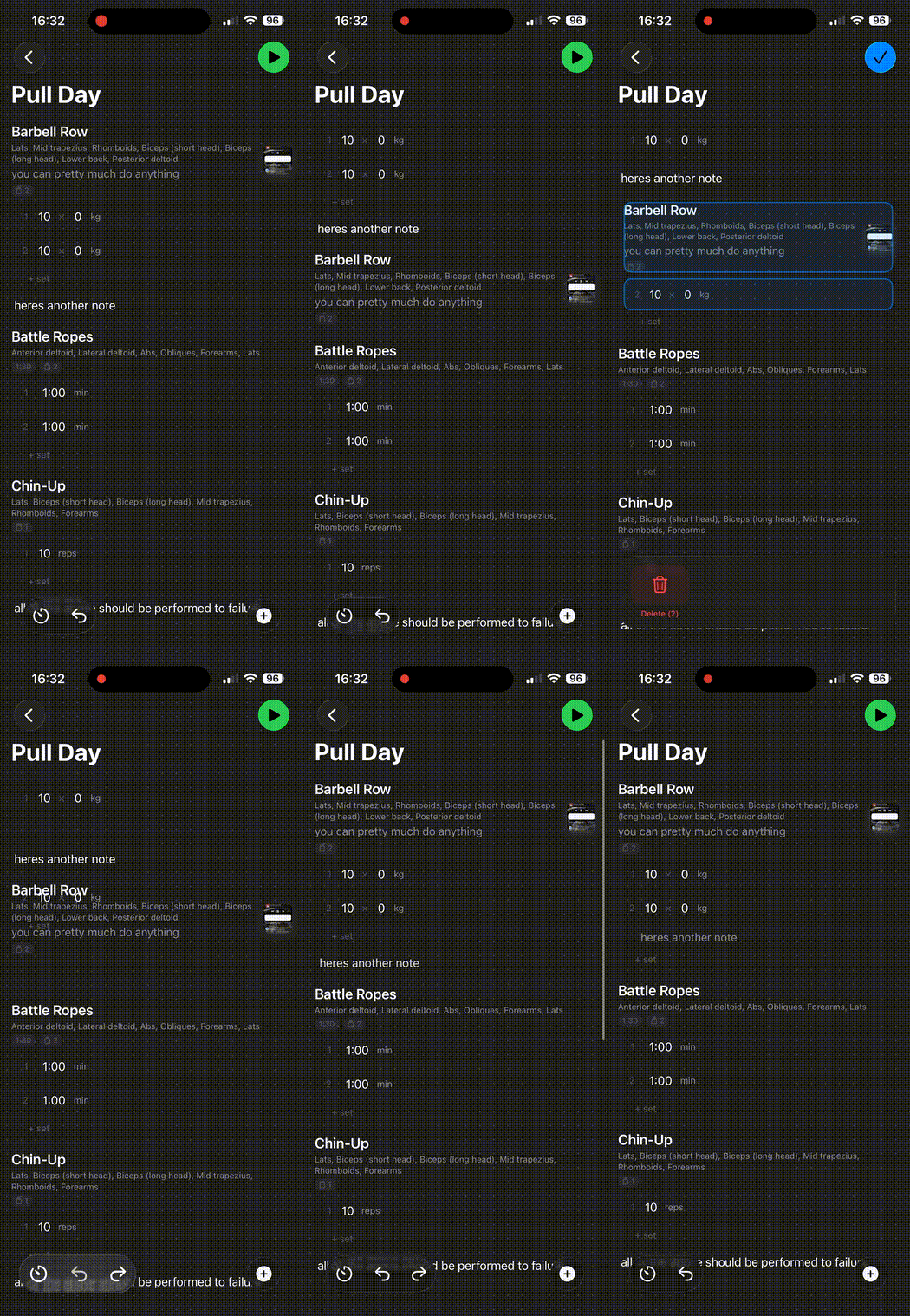
Reordering is drag and drop. Long press, move, release. The list updates live, no confirmation dialogs, no save button. The goal was to make editing feel as fluid as actually doing the workout. Okay, maybe more fluid — I definitely pause longer between sets.
What’s under the hood
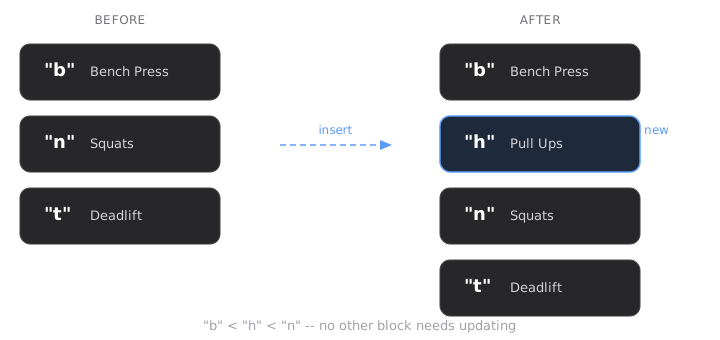
Fractional indexing for block order
Blocks are sorted using string keys (“a”, “am”, “b”) instead of integer positions. Inserting a block between two others generates a new key lexicographically between them, no need to update every other block’s position. Same approach Figma and Notion use. O(1) inserts, no rebalancing, works across platforms if the app ever goes multi-device.
Custom drag and drop built on UICollectionView
SwiftUI’s built in List reordering doesn’t cut it for this kind of editor. I found that out the hard way after a week of trying to make it work. Ended up writing a custom ReorderableCollectionView backed by UIKit’s UICollectionViewCompositionalLayout. Long-press to pick up, live reordering with a floating preview, drop indicators between cells, drag-to-trash for deletion. Stays at 60fps even with complex nested blocks.
Keyboard-aware auto-scroll
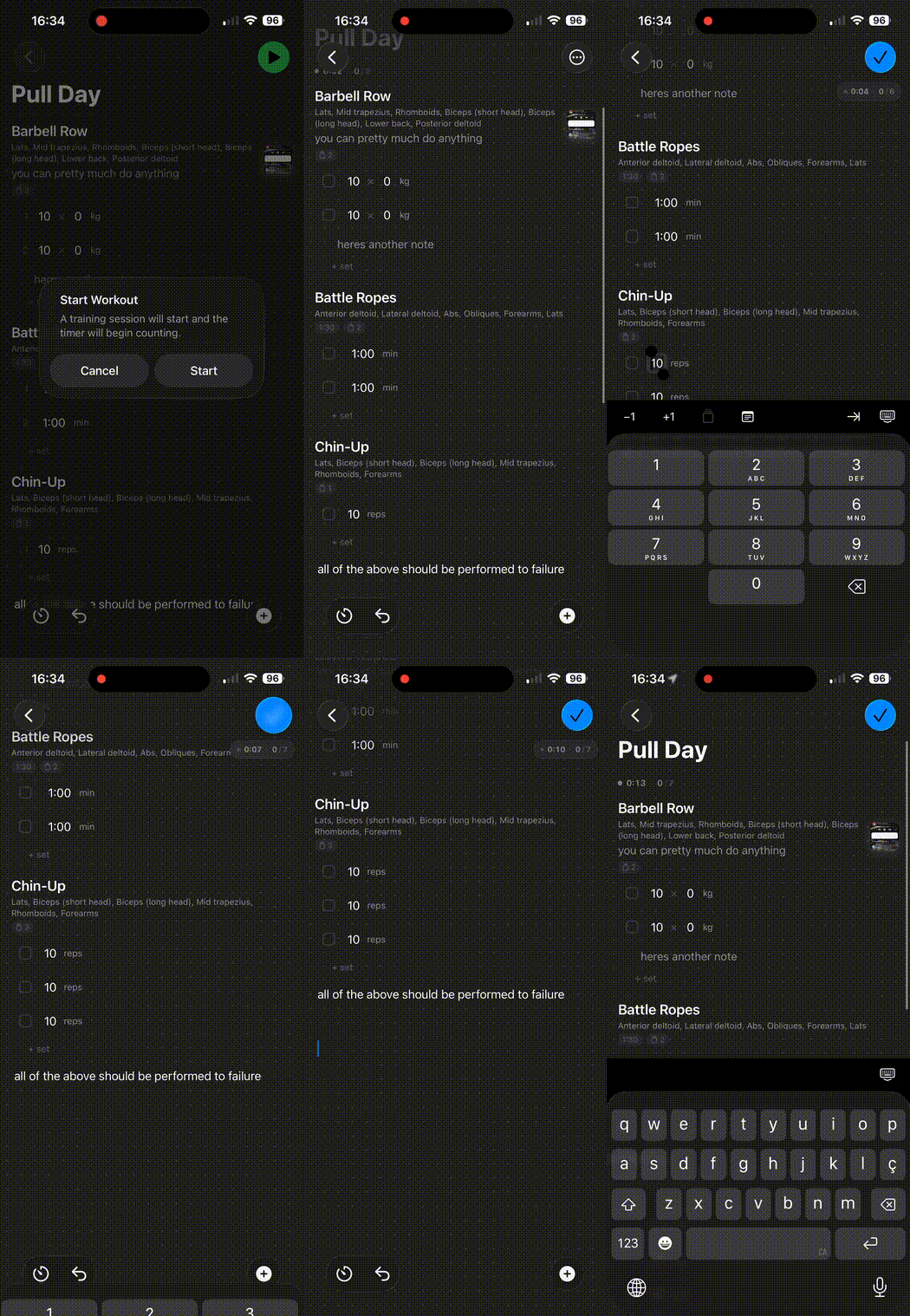
This is one of those things nobody notices unless it’s broken. When you tap a reps field near the bottom of the screen and the keyboard slides up, the field better stay visible. Sounds simple. It is not.
I built a FocusScrollController that listens to keyboardWillShow/keyboardWillHide, figures out if the active field is about to disappear behind the keyboard, and animates the scroll to keep it in view — matching the system’s own animation curve so it doesn’t look janky. If you’re already typing and switch fields, it scrolls immediately. If the keyboard is still appearing, it queues the scroll and fires it at the right moment.
Every editable field in the app hooks into this through one scrollToField() call. Took me longer to get right than I’d like to admit, but now it just works and I never think about it. Which is the whole point.
Domain layer with no framework dependencies
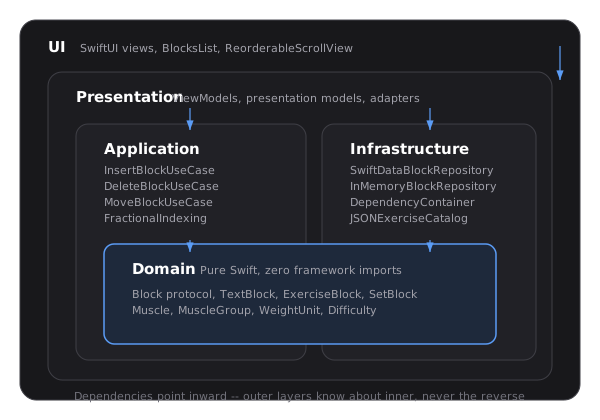
The domain layer is pure Swift. No SwiftUI, no SwiftData, no UIKit imports. Block protocol, entities, value objects, use cases — all portable. SwiftData plugs in at the infrastructure layer, and there’s an in-memory implementation for tests. If I ever need to swap persistence, it’s one file in the dependency container.
Block types
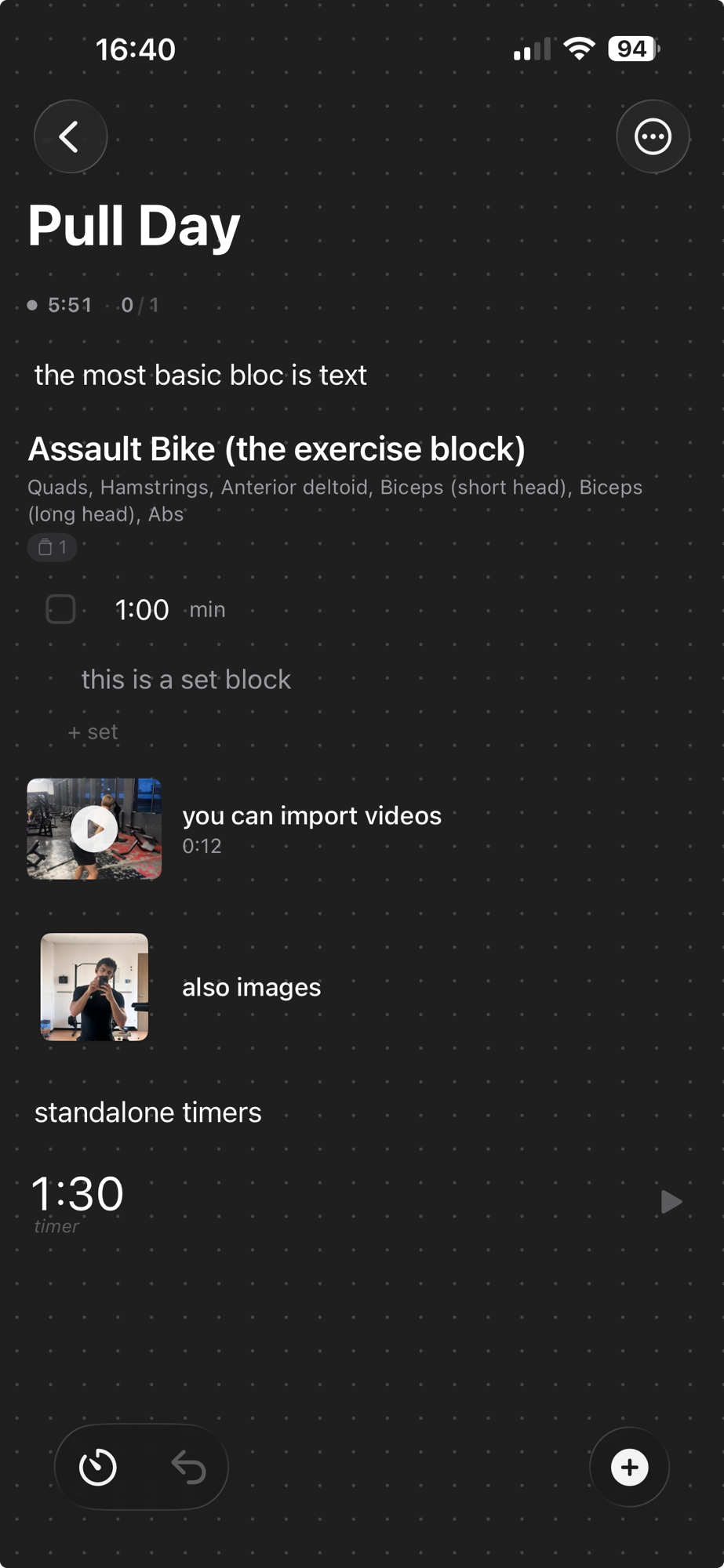
The blocks cover everything you need in a workout: text for titles and notes, individual exercises with configurable sets/reps/weight, set blocks for grouping exercises into supersets or circuits, countdown timers, progress charts, media for attaching reference images or videos, and dividers to visually separate sections.
What’s next
If the app keeps picking up users, Android is on the table. The domain layer is pure Swift with no framework imports, so the business logic, use cases, and fractional indexing algorithm can be ported to Kotlin almost line by line. The only real work is rebuilding the UI and persistence layers — which is exactly the kind of problem Clean Architecture is supposed to solve. Nice when the upfront investment actually pays off instead of just looking good on a whiteboard.